Whether you've held Bitcoin for years or just received some as payment, converting it to naira should be simple. This guide covers how to check the rate, what affects how long it takes, and how to sell your BTC for naira in a few steps.
Step 1: Check today's Bitcoin to naira rate
Bitcoin's price changes constantly, so start by checking the current market price. Our crypto to naira rates page shows what Pyker pays for BTC today, along with the last seven days of market movement.
Prices move through the day, so the rate you get is the one shown in the app when you sell, before you send anything. You always know what you'll receive.
Step 2: Understand confirmations
When you send Bitcoin, the network has to confirm the transaction before it's final. Bitcoin produces a new block roughly every ten minutes on average, so timing depends on how busy the network is and the fee your wallet pays.
- Higher network fees usually get confirmed faster.
- Busy periods can slow things down, even with a normal fee.
- Exchanges sometimes batch withdrawals, which can add a short delay before your BTC is even sent.
Step 3: Sell your Bitcoin on Pyker
- Verify your account. Download Pyker, sign up, and verify your BVN with a quick liveness check.
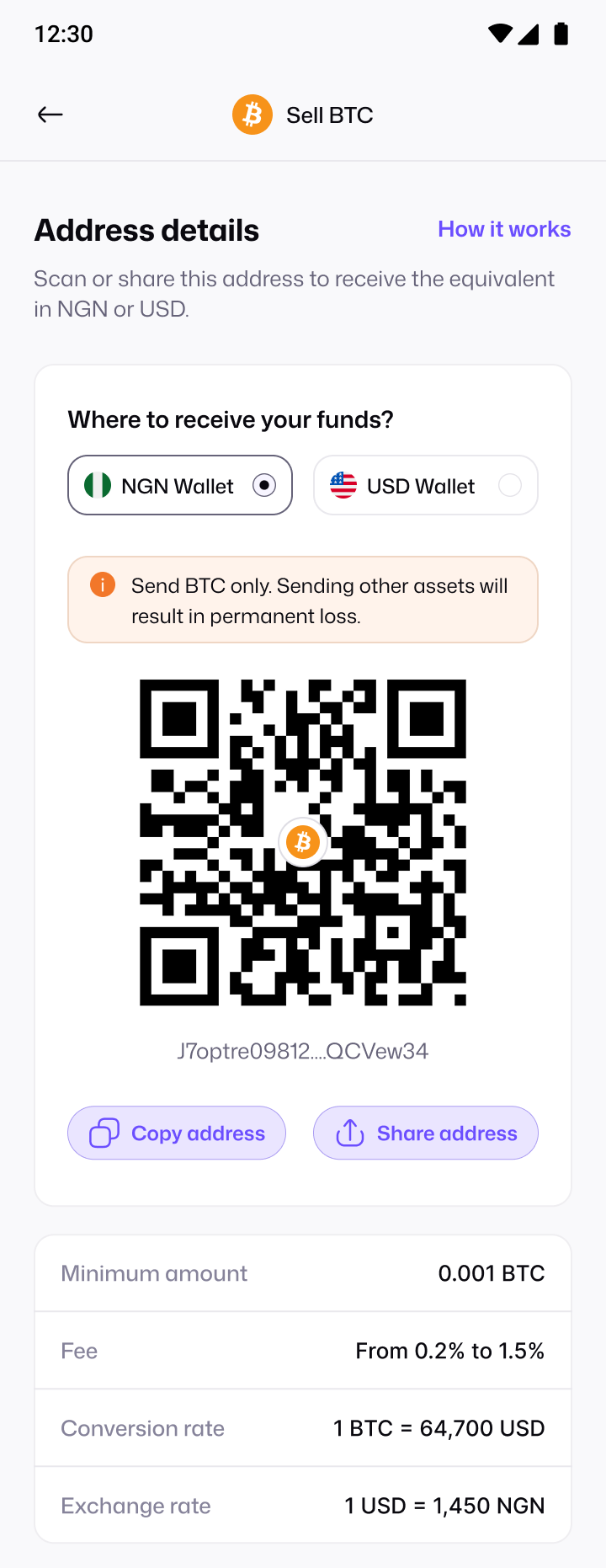
- Choose Bitcoin and your payout. Tap Sell crypto, pick Bitcoin, and choose naira (NGN Wallet) or dollars (USD Wallet).
- Get your BTC address. Pyker gives you a Bitcoin deposit address, along with the live rate and minimum amount.
- Send your BTC. Copy or scan the address in your wallet or exchange and send.
- Get paid. Once the network confirms your payment, your wallet is credited and you get a receipt.
Fees to expect
There are two kinds of cost when you sell Bitcoin. The first is the network fee your wallet or exchange charges to send BTC, which goes to the Bitcoin network. The second is the difference between the market price and your payout rate. On Pyker, your payout is shown before you send, so there are no surprises.
What to do with your naira
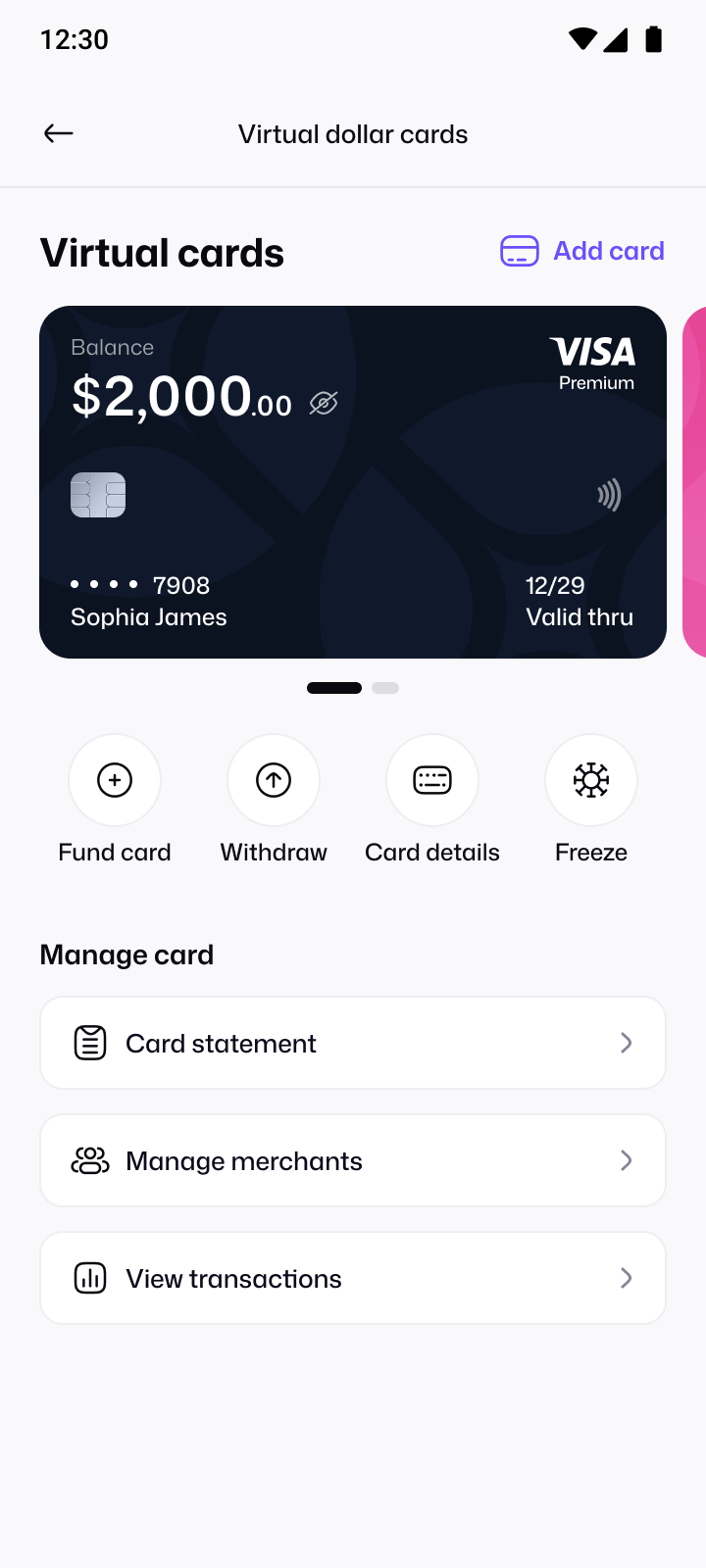
Once your naira lands, you can keep it in your wallet, or move it to a virtual dollar card for international subscriptions and shopping. Selling a different coin? See how to sell USDT for naira.
Bitcoin address formats, explained
Bitcoin addresses come in a few formats, and all of them are valid. You might see addresses that start with:
- bc1q or bc1p: newer formats (SegWit and Taproot), common in modern wallets.
- 3: an older format that's still widely supported.
- 1: the original (legacy) format.
You don't need to convert between them. Just copy the exact address the app gives you, paste it into your wallet or exchange, and check the first and last few characters before sending.
Sending from an exchange vs your own wallet
| Sending from | What to expect |
|---|---|
| An exchange | You choose Withdraw, paste the address and confirm. The exchange sets the fee and may take a few minutes to process the withdrawal. |
| Your own wallet | You choose the fee yourself. A higher fee usually means faster confirmation when the network is busy. |
Before you send: a checklist
- You're sending BTC to a Bitcoin address. Never send another coin to it.
- The address was copied from the app, not typed by hand.
- The amount is above the minimum shown in the app.
- You've chosen naira or dollars as your payout.